8.3. Stacking fault tetrahedron
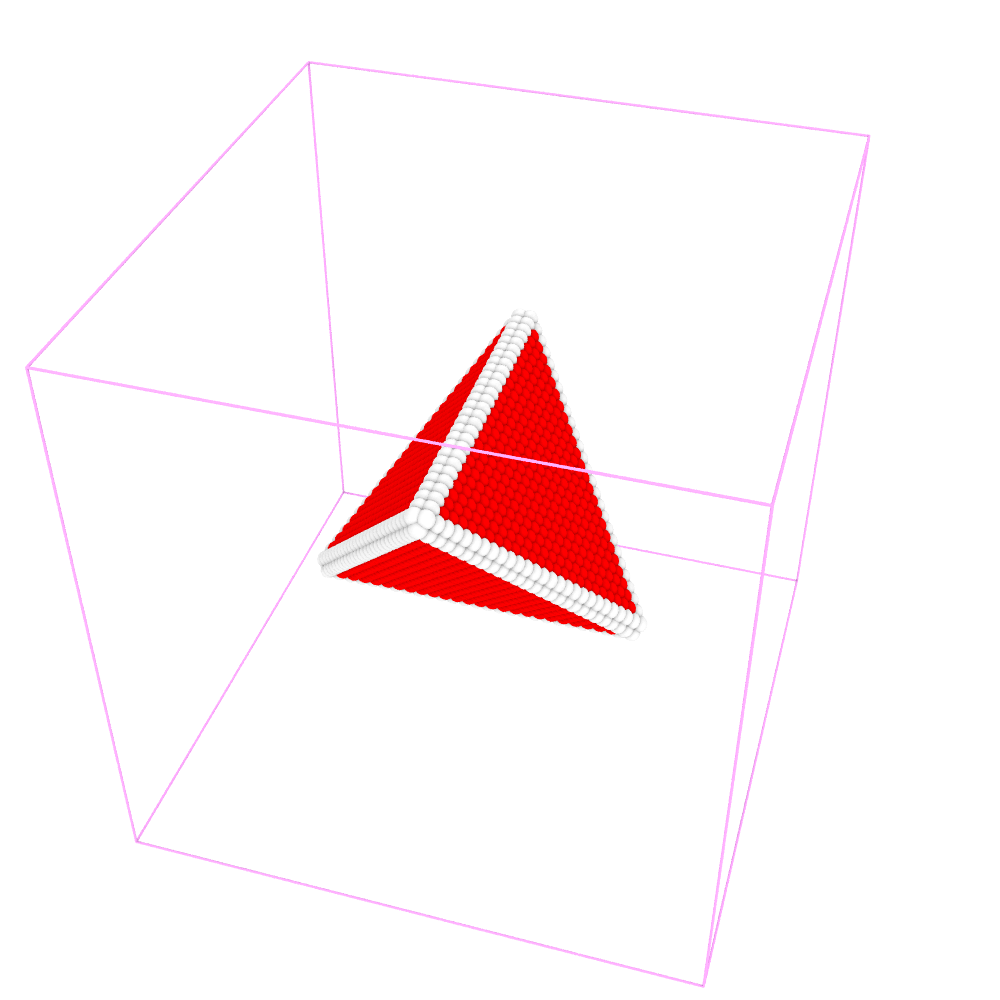
To create a stacking fault tetrahedron,
Step 1:
Use the tool in the subdirectory tools/Fcc to creat an FCC single crystal sample by running the following command in Terminal. This will produce an ASCII text file of the atomic structure in current directory:
fcc_reg.lmp.
1Fcc 120 120 120 -x 1 -1 0 -y 1 1 0 -z 0 0 1 Cu
Step 2:
Open terminal, run the following command:
1CryDisGen para_file fcc_reg.lmp
Parameter file
Content of the para_file:
 1#lines starting with '#' are comments
 2#crystal region definition
 3Region
 4-x      1 -1  0      # lattice orientation along x-axis
 5-y      1  1  0      # lattice orientation along y-axis
 6-z      0  0  1      # lattice orientation along z-axis
 7-lat    3.615        # lattice constant
 8-pbc    1  1  1      # boundary condition flags along x/y/z-axes: '1' for periodic, '0' for non-periodic
 9
10nTetrahedron  1       # number of stacking fault tetrahedra
11Tetrahedron           # label for tetrahedron section
12-tc     -0. 0. 0.     # center of the bottom face of the tetrahedron
13-tr      42           # radius of the circumscribed circle of the bottom face
14-tnorm  -1 -1 -1      # outward normal direction of the tetrahedron's bottom face
15-lxt     1 -1  0      # local x-axis on the bottom face
16-lyt    -1 -1  2      # local y-axis on the bottom face